

Home > FLV to Video CoverterKey Features



Key Features of FLV to Video Converter
-
 The best software that can perfectly convert flv to video
Moyea FLV to Video Converter is currently the best tool to convert FLV files to regular video and audio files. This program can perfectly convert all kinds of FLV files without any extra codecs, The supported FLV files include flash 8 video video FLV, H263 video FLV, Nelly Moser audio FLV, MP3 audio FLV and audio-only FLV. In addition, Moyea FLV to Video Converter also provides various output types and codecs so that you can easily convert your FLV files to appropriate files that can be played on your DVD, PC, iPod, PSP, cell phones and other portable devices.  Supports FLV files by various codecs
Moyea FLV to Video Converter is the first software program that can perfectly convert FLV files by flash 8 video codec and NellyMoser codec. FLV files by H263 codec and audio-only FLV files are also very well supported.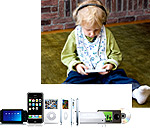 Supports an amazing amount of output file types
Moyea FLV to Video Converter supports AVI, MP4, MPEG, 3GP, MOV, and MP3 output files types along with very efficient codecs, which enables the smooth playback of the converted files on your DVD, PC, iPod, PSP, cell phones and other portable devices.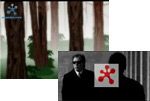 Powerful yet easy watermark
Moyea FLV to Video Converter allows you to use a GIF picture as the watermark on your video and the animation effects of the GIF picture can be completely kept. You can set an transparent color and its transparency degree and tolerance on your watermark and everything can be real-time previewed. Nine watermark origin positions are provided to customize your watermark position and watermark size can also be easily customized. You can even batch add a watermark to multiple FLV files at a time. Considerate video crop function
Moyea FLV to Video Converter has very a useful crop function that enables you to get rid of the black frames and logos on your video. Customizing standard 16:9, 4:3 and other video aspect ratios for different screens is very intuitive with this program. The constantly changed background image with the playback in the crop area makes it even more accurate to crop an appropriate size for the whole video file. Useful Profile function
This function saves your time and energy by providing several preset profiles of common settings. You can also save different settings as different profiles for later so avoid making the same settings.- Rich FLV information for your settings
You can view both the simple information and the detailed information of your FLV file when you make settings for the output. The detailed information will be viewed in a transparent window so that it won't block the playback pane.  Almost all the functions are based on batch process
We have fully considered the differences between processing a single file and multiple files on all the settings. We have invested in a lot of work in this, which has achieved the goal of providing users with the most convenience without any dilemma.